PCBugLab PCBugLab
  • Home
  • How-to guides
    How-to guidesShow More: How-to guides
    windows-error-0x80080005-pcbuglab
    How to fix Windows Update error 0x80080005
    7 Min Read
    update-service-disabled-featured-pcbuglab
    How to fix Windows error 0x80070422
    Windows Update error 0x80240034 download failure illustration-pcbuglab
    How to fix Windows error 0x80240034
    7 Min Read
    Windows error 0x8024402c - pcbuglab
    How to fix Windows error 0x8024402c
    8 Min Read
    windows-update-error-0x800705b4-featured-pcbuglab
    How to fix Windows Update error 0x800705b4
    7 Min Read
  • Tech news
    Tech newsShow More: Tech news
    Acer Predator Atlas 8 handheld with its screen, joysticks and front controls
    Acer Predator Atlas 8: New handheld costs $1,299.99
    4 Min Read
    apple-airtag-4-pack-amazon-deal-pcbuglab
    AirTag 4-pack deal: the big price drop you need to know
    3 Min Read
    rtx-5090-featured-pcbuglab
    RTX 5090 shipment worth $470,000 vanishes at airport
    4 Min Read
    Xbox Ally X20 vs Xbox Ally X - PCBUGLAB
    Xbox Ally X20 vs Xbox Ally X: Is the upgrade worth it?
    5 Min Read
    Super Nt Plus - Mega SG - PCBUGLAB
    Analogue Super Nt Plus and Mega Sg Plus bring retro upgrades
    4 Min Read
  • Gaming news
    Gaming newsShow More: Gaming news
    gta6-cyberleek-pcbuglab
    Cyberleek claims GTA 6 Xbox leak playable for PC
    5 Min Read
  • Cybersecurity
    CybersecurityShow More: Cybersecurity
    cPGuard update attack - pcbuglab
    cPGuard update attack plants backdoors on Linux servers
    2 Min Read
    Gorbag WinRAR attacks - pcbuglab
    New Gorbag WinRAR attacks target Ukraine’s sensitive data
    3 Min Read
    Chinese hackers launch ARTEX AI attacks-pcbuglab
    Chinese hackers launch ARTEX AI attacks on 200+ organizations
    3 Min Read
    BTCPay Server flaw exploit - pcbuglab
    BTCPay Server flaw exploit lets hackers steal Bitcoin and Litecoin
    3 Min Read
    Chrome-extension-search-hijacking-pcbuglab
    Chrome extension search hijacking: what you need to know now
    4 Min Read
  • Contact
Reading: How to fix Windows activation error 0xc004f213
Share
PCBugLabPCBugLab
Font ResizerAa
  • Home
  • Cybersecurity
  • Tech news
  • How-to guides
  • Hardware
Search
  • Home
  • Cybersecurity
  • Tech news
  • How-to guides
  • Hardware
Follow US
PCBugLab > How-to guides > How to fix Windows activation error 0xc004f213
How-to guides

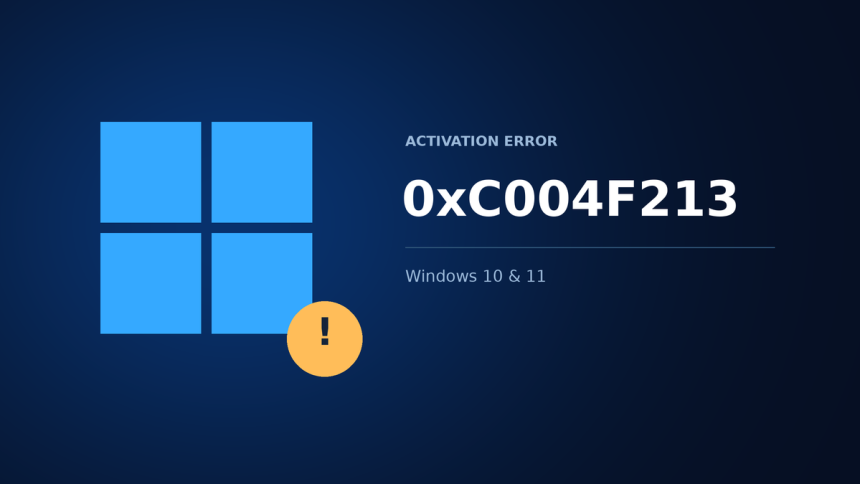
How to fix Windows activation error 0xc004f213

buglab
By
buglab
Last updated: October 17, 2026
5 Min Read
error-0xc004f213-pcbuglab
SHARE

Windows activation error 0xc004f213 means Windows reports that no product key was found on your device. It can appear after a significant hardware change, such as replacing the motherboard. The error does not, by itself, prove that a purchased key is defective. Microsoft recommends checking your activation options and using the Activation troubleshooter where appropriate.

Contents
  • 1. Check your Windows edition and activation status
  • 2. Run the troubleshooter for activation error 0xc004f213
  • 3. Reactivate Windows after changing hardware
  • 4. Enter your existing product key
  • 5. Check what happened during re-installation
  • What if error 0xc004f213 remains?

Before purchasing another license or reinstalling Windows, check your installed edition, existing license, and recent hardware changes. These details help you choose the right fix.

1. Check your Windows edition and activation status

Open the activation page using the path for your operating system:

  • Windows 11: Settings → System → Activation.
  • Windows 10: Settings → Update & Security → Activation.

Record the installed edition, activation message, and complete error code. Microsoft explains that your license must match the edition you are activating. A Home license cannot activate a Pro installation.

Compare the edition with your purchase confirmation or the specifications of the computer you bought. For example, if your device was licensed for Home but now runs Pro, repeatedly entering the Home key will not resolve that mismatch.

2. Run the troubleshooter for activation error 0xc004f213

Connect your PC to the internet and sign in with an administrator account. On the Activation page, select Troubleshoot, if available, and follow the instructions.

The Activation troubleshooter is intended for systems that are not activated. It can help identify a suitable digital license or guide you through the next steps. If it cannot resolve the issue, Microsoft recommends contacting support.

Write down its result before trying another fix. A message about an edition mismatch needs a different response from a message about changed hardware.

3. Reactivate Windows after changing hardware

If the error appeared after a motherboard replacement, use the hardware-change option:

  1. Open Activation settings.
  2. Select Troubleshoot.
  3. Choose I changed hardware on this device recently, if offered.
  4. Sign in with the Microsoft account previously linked to your digital license.
  5. Select the matching device.
  6. Follow the prompts to attempt reactivation.

Microsoft documents this process for digital licenses linked to a Microsoft account. Reactivation depends on the license and device circumstances; signing in does not automatically make every license transferable.

If your device is missing from the list, check that you are using the correct account before proceeding.

4. Enter your existing product key

If you purchased Windows with a product key, locate it in your order confirmation, packaging, or purchase records.

Return to the Activation page and select Change product key. Enter the 25-character key, select Next, and follow the activation prompts. Microsoft includes this method among its activation and reactivation options.

Check the characters carefully and use a key for the installed edition. Keep your full key private when sharing screenshots or asking for help.

If Windows displays a different error afterward, record it. The new message may provide more specific information than the original 0xc004f213 warning.

5. Check what happened during re-installation

If you recently reinstalled Windows, confirm that you selected the edition previously licensed on that computer.

Microsoft states that a device with an existing digital license can reinstall the same edition without entering a product key. Significant hardware changes can complicate that process.

Reinstallation alone does not provide a new license. If the wrong edition was installed, determine the appropriate correction before starting another installation, and back up your files first.

What if error 0xc004f213 remains?

Contact Microsoft Support, your PC manufacturer, or the seller responsible for your purchase. Provide:

  • Your installed Windows edition.
  • The complete activation message.
  • Whether Windows activated previously.
  • Details of any motherboard replacement or re-installation.
  • Your purchase confirmation, where relevant.

For a work or school computer, contact your organisation’s IT team before changing licensing settings.

Buy another license only after establishing that your current installation has no applicable license or valid reactivation route. That avoids spending money before identifying the actual problem.

TAGGED:Activation Error 0xc004f213Windows 11Windows activationWindows Error 0xc004f213.

Sign Up For Daily Newsletter

Be keep up! Get the latest breaking news delivered straight to your inbox.
By signing up, you agree to our Terms of Use and acknowledge the data practices in our Privacy Policy. You may unsubscribe at any time.
Share This Article
Facebook Copy Link Print
Previous Article Xbox Ally X20 vs Xbox Ally X - PCBUGLAB Xbox Ally X20 vs Xbox Ally X: Is the upgrade worth it?
Next Article intel-gpu-d270-featured-pcbuglab What is the Intel 480GB GPU designed for?
Leave a review

Leave a Review Cancel reply

Your email address will not be published. Required fields are marked *

Please select a rating!

FacebookLike
InstagramFollow

Subscribe Now

Subscribe to our newsletter to get our newest articles instantly!
Most Popular
gta6-cyberleek-pcbuglab
Cyberleek claims GTA 6 Xbox leak playable for PC
November 23, 2026
windows-error-0x80080005-pcbuglab
How to fix Windows Update error 0x80080005
November 18, 2026
update-service-disabled-featured-pcbuglab
How to fix Windows error 0x80070422
November 11, 2026
Windows Update error 0x80240034 download failure illustration-pcbuglab
How to fix Windows error 0x80240034
November 11, 2026
Windows error 0x8024402c - pcbuglab
How to fix Windows error 0x8024402c
November 11, 2026

You Might Also Like

usb-device-not-recognized-pcbuglab
How-to guides

How to fix USB device not recognized

10 Min Read
how-to-screen-record-with-sound-pcbuglab
How-to guides

How to screen record on Windows with sound

8 Min Read
win-11-pcbuglab-featured
How-to guides

How to download Windows 11 in a different language

5 Min Read
Fixing Windows 11 unexpected store exception-pcbuglab
How-to guides

How to fix Unexpected Store Exception in Windows 11

4 Min Read

Always Stay Up to Date

Subscribe to our newsletter to get our newest articles instantly!
PCBugLab PCBugLab

Clear solutions for everyday PC problems. Explore troubleshooting guides, hardware advice, and practical insights to get more from your technology.

Explore

  • Home
  • Cybersecurity
  • Tech news
  • How-to guides
  • Hardware

Have a Question or Suggestion?

Tell us which PC problems or tech topics you’d like us to cover. Your feedback helps shape our next guides.
Contact Us
Welcome Back!

Sign in to your account

Username or Email Address
Password

Lost your password?