PCBugLab PCBugLab
  • Home
  • How-to guides
    How-to guidesShow More: How-to guides
    windows-error-0x80080005-pcbuglab
    How to fix Windows Update error 0x80080005
    7 Min Read
    update-service-disabled-featured-pcbuglab
    How to fix Windows error 0x80070422
    Windows Update error 0x80240034 download failure illustration-pcbuglab
    How to fix Windows error 0x80240034
    7 Min Read
    Windows error 0x8024402c - pcbuglab
    How to fix Windows error 0x8024402c
    8 Min Read
    windows-update-error-0x800705b4-featured-pcbuglab
    How to fix Windows Update error 0x800705b4
    7 Min Read
  • Tech news
    Tech newsShow More: Tech news
    Acer Predator Atlas 8 handheld with its screen, joysticks and front controls
    Acer Predator Atlas 8: New handheld costs $1,299.99
    4 Min Read
    apple-airtag-4-pack-amazon-deal-pcbuglab
    AirTag 4-pack deal: the big price drop you need to know
    3 Min Read
    rtx-5090-featured-pcbuglab
    RTX 5090 shipment worth $470,000 vanishes at airport
    4 Min Read
    Xbox Ally X20 vs Xbox Ally X - PCBUGLAB
    Xbox Ally X20 vs Xbox Ally X: Is the upgrade worth it?
    5 Min Read
    Super Nt Plus - Mega SG - PCBUGLAB
    Analogue Super Nt Plus and Mega Sg Plus bring retro upgrades
    4 Min Read
  • Gaming news
    Gaming newsShow More: Gaming news
    gta6-cyberleek-pcbuglab
    Cyberleek claims GTA 6 Xbox leak playable for PC
    5 Min Read
  • Cybersecurity
    CybersecurityShow More: Cybersecurity
    cPGuard update attack - pcbuglab
    cPGuard update attack plants backdoors on Linux servers
    2 Min Read
    Gorbag WinRAR attacks - pcbuglab
    New Gorbag WinRAR attacks target Ukraine’s sensitive data
    3 Min Read
    Chinese hackers launch ARTEX AI attacks-pcbuglab
    Chinese hackers launch ARTEX AI attacks on 200+ organizations
    3 Min Read
    BTCPay Server flaw exploit - pcbuglab
    BTCPay Server flaw exploit lets hackers steal Bitcoin and Litecoin
    3 Min Read
    Chrome-extension-search-hijacking-pcbuglab
    Chrome extension search hijacking: what you need to know now
    4 Min Read
  • Contact
Reading: Chrome extension search hijacking: what you need to know now
Share
PCBugLabPCBugLab
Font ResizerAa
  • Home
  • Cybersecurity
  • Tech news
  • How-to guides
  • Hardware
Search
  • Home
  • Cybersecurity
  • Tech news
  • How-to guides
  • Hardware
Follow US
PCBugLab > Cybersecurity > Chrome extension search hijacking: what you need to know now
Cybersecurity

Chrome extension search hijacking: what you need to know now

buglab
By
buglab
Last updated: November 1, 2026
4 Min Read
Chrome-extension-search-hijacking-pcbuglab
SHARE

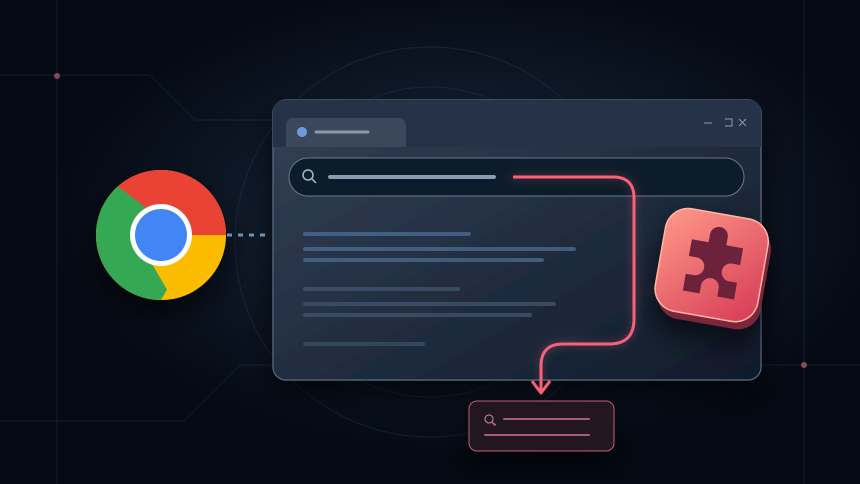
Chrome extension search hijacking has been linked to 319 browser add-ons with about 13.4 million reported installs. The tools send search queries through servers run by their operators before users reach a results page.

Contents
  • How Chrome extension search hijacking works
  • What the 13.4 million install figure means
  • How to check Chrome and restore your search choice

Researcher John Tuckner at Socket traced the activity across years of browser add-ons. Many posed as PDF tools, manual finders or safe-search helpers. The main goal was to earn fees from search ads, but the same setup could let an operator change where a search leads.

How Chrome extension search hijacking works

Hands using a laptop with a Google search page; supporting photo for Chrome extension search hijacking.

Affected add-ons change the browser’s default search provider. When a user types a query in the address bar, the search first goes to an outside server. That server can then send it to Bing or Yahoo with a partner tag attached.

Those tags help track ad revenue. However, the extra stop also lets the server operator see the query. A familiar results page at the end does not prove that the search went straight there.

For example, one add-on in the research used little more than a settings file and icons. It had no background code or content scripts. Chrome allows an extension to set a search provider through its chrome_settings_overrides entry, so a short list of permissions is not enough to rule out a search change.

The risk from Chrome extension search hijacking also extends beyond ad fees. An operator could route a future query to a fake page or harmful download. That is a potential use of the setup, not proof that every add-on in the study delivered malware.

What the 13.4 million install figure means

Person using a laptop with Google open outdoors; illustrative browser-use photograph.

The headline total spans a decade of activity. It should not be read as 13.4 million confirmed active infections today, or as a verified count of unique people.

Many add-ons were unlisted in the Chrome Web Store. That means their pages could be opened through a direct link, but would not appear in normal store searches. Instead, paid ads helped users find them.

Predator Search showed why the server matters. In the researcher’s test, six identical searches led to four outcomes. The add-on stayed the same; the server picked the route.

Most of the flagged extensions had left the store by the time the findings were published. Yet removal from a store does not show that a user has checked or removed a local copy.

How to check Chrome and restore your search choice

Person using a laptop at a table beside a cup and documents; illustrative browsing photograph.

Start with the add-ons you installed, especially after an ad promised a quick PDF or search fix. To check for Chrome extension search hijacking, review both the add-on list and the search setting.

  1. Open Chrome’s menu, then select Extensions > Manage extensions.
  2. Check each add-on’s name and publisher. Remove tools you did not choose or no longer trust.
  3. Next, open Settings > Search engine. Select Change and choose the provider you want.
  4. Try a search from the address bar. If unwanted redirects return, review the remaining add-ons and run a scan with your trusted security software.

On a work or school device, ask your IT team about settings that an organization controls. Do not try to bypass those controls.

Also, avoid installing an add-on just because a web page says you need it. Our guide to fake browser update scams explains a related trap: sites that dress up unsafe steps as routine browser care.


TAGGED:Browser SecurityChrome ExtensionsGoogle ChromeSearch Hijacking

Sign Up For Daily Newsletter

Be keep up! Get the latest breaking news delivered straight to your inbox.
By signing up, you agree to our Terms of Use and acknowledge the data practices in our Privacy Policy. You may unsubscribe at any time.
Share This Article
Facebook Copy Link Print
Previous Article cloudflare-ddos-attack-pcbuglab Cloudflare DDoS attacks: what you need to know now
Next Article apple-airtag-4-pack-amazon-deal-pcbuglab AirTag 4-pack deal: the big price drop you need to know
Leave a review

Leave a Review Cancel reply

Your email address will not be published. Required fields are marked *

Please select a rating!

FacebookLike
InstagramFollow

Subscribe Now

Subscribe to our newsletter to get our newest articles instantly!
Most Popular
gta6-cyberleek-pcbuglab
Cyberleek claims GTA 6 Xbox leak playable for PC
November 23, 2026
windows-error-0x80080005-pcbuglab
How to fix Windows Update error 0x80080005
November 18, 2026
update-service-disabled-featured-pcbuglab
How to fix Windows error 0x80070422
November 11, 2026
Windows Update error 0x80240034 download failure illustration-pcbuglab
How to fix Windows error 0x80240034
November 11, 2026
Windows error 0x8024402c - pcbuglab
How to fix Windows error 0x8024402c
November 11, 2026

You Might Also Like

cybersecurity-featured-pcbuglab
Cybersecurity

How to spot phishing emails and protect your accounts

4 Min Read
hackers-overheat-french-supermarket-fridges-pcbuglab
Cybersecurity

French supermarket cyberattack turns freezers Into heaters

5 Min Read
GhostAction attack-featured-pcbuglab
Cybersecurity

GhostAction hides malware in 94 GitHub repositories

5 Min Read
networking-problem-featured-pcbuglab
Cybersecurity

October 2026 Windows update broke your Wi-Fi?

5 Min Read

Always Stay Up to Date

Subscribe to our newsletter to get our newest articles instantly!
PCBugLab PCBugLab

Clear solutions for everyday PC problems. Explore troubleshooting guides, hardware advice, and practical insights to get more from your technology.

Explore

  • Home
  • Cybersecurity
  • Tech news
  • How-to guides
  • Hardware

Have a Question or Suggestion?

Tell us which PC problems or tech topics you’d like us to cover. Your feedback helps shape our next guides.
Contact Us
Welcome Back!

Sign in to your account

Username or Email Address
Password

Lost your password?