
PCBugLab PCBugLab
  • Home
  • How-to guides
    How-to guidesShow More: How-to guides
    windows-error-0x80080005-pcbuglab
    How to fix Windows Update error 0x80080005
    7 Min Read
    update-service-disabled-featured-pcbuglab
    How to fix Windows error 0x80070422
    Windows Update error 0x80240034 download failure illustration-pcbuglab
    How to fix Windows error 0x80240034
    7 Min Read
    Windows error 0x8024402c - pcbuglab
    How to fix Windows error 0x8024402c
    8 Min Read
    windows-update-error-0x800705b4-featured-pcbuglab
    How to fix Windows Update error 0x800705b4
    7 Min Read
  • Tech news
    Tech newsShow More: Tech news
    Acer Predator Atlas 8 handheld with its screen, joysticks and front controls
    Acer Predator Atlas 8: New handheld costs $1,299.99
    4 Min Read
    apple-airtag-4-pack-amazon-deal-pcbuglab
    AirTag 4-pack deal: the big price drop you need to know
    3 Min Read
    rtx-5090-featured-pcbuglab
    RTX 5090 shipment worth $470,000 vanishes at airport
    4 Min Read
    Xbox Ally X20 vs Xbox Ally X - PCBUGLAB
    Xbox Ally X20 vs Xbox Ally X: Is the upgrade worth it?
    5 Min Read
    Super Nt Plus - Mega SG - PCBUGLAB
    Analogue Super Nt Plus and Mega Sg Plus bring retro upgrades
    4 Min Read
  • Gaming news
    Gaming newsShow More: Gaming news
    gta6-cyberleek-pcbuglab
    Cyberleek claims GTA 6 Xbox leak playable for PC
    5 Min Read
  • Cybersecurity
    CybersecurityShow More: Cybersecurity
    cPGuard update attack - pcbuglab
    cPGuard update attack plants backdoors on Linux servers
    2 Min Read
    Gorbag WinRAR attacks - pcbuglab
    New Gorbag WinRAR attacks target Ukraine’s sensitive data
    3 Min Read
    Chinese hackers launch ARTEX AI attacks-pcbuglab
    Chinese hackers launch ARTEX AI attacks on 200+ organizations
    3 Min Read
    BTCPay Server flaw exploit - pcbuglab
    BTCPay Server flaw exploit lets hackers steal Bitcoin and Litecoin
    3 Min Read
    Chrome-extension-search-hijacking-pcbuglab
    Chrome extension search hijacking: what you need to know now
    4 Min Read
  • Contact
Reading: How to fix Windows error 0x80070422
Share
PCBugLabPCBugLab
Font ResizerAa
  • Home
  • Cybersecurity
  • Tech news
  • How-to guides
  • Hardware
Search
  • Home
  • Cybersecurity
  • Tech news
  • How-to guides
  • Hardware
Follow US
PCBugLab > How-to guides > How to fix Windows error 0x80070422
How-to guides

How to fix Windows error 0x80070422

buglab
By
buglab
Last updated: November 11, 2026
update-service-disabled-featured-pcbuglab
SHARE

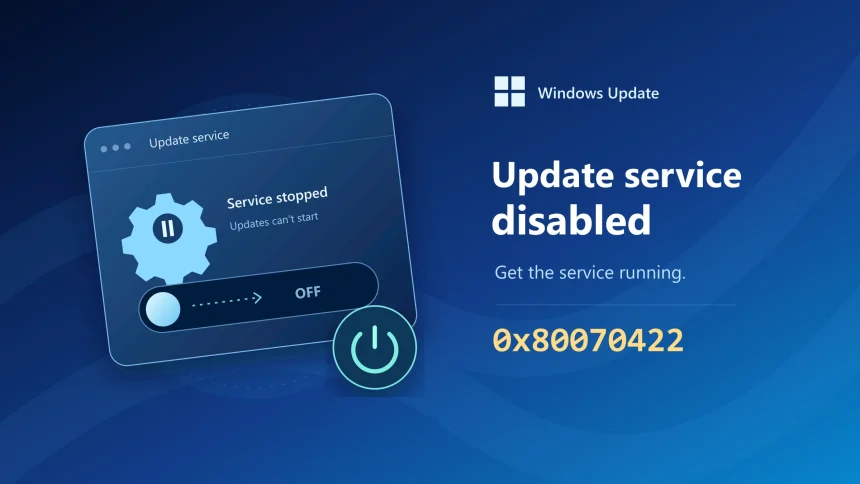
Windows Update error 0x80070422 usually means that a service needed to check for or install updates is disabled. You may see the error immediately after selecting Check for updates, before Windows starts downloading anything.

Contents
  • 1. Restart your PC and confirm the error code
  • 2. Enable the service to fix Windows Update error 0x80070422
  • 3. Run the troubleshooter for Windows Update error 0x80070422
  • 4. Check whether an update-blocking tool disabled the service
  • 5. Follow the result instead of repeating the same repair

The first place to check is the Windows Update service. Restarting your router or repeatedly downloading an update will not resolve a service that Windows cannot start. Follow the steps below, checking for updates after each fix.

1. Restart your PC and confirm the error code
windows-pc-restart-pcbuglab

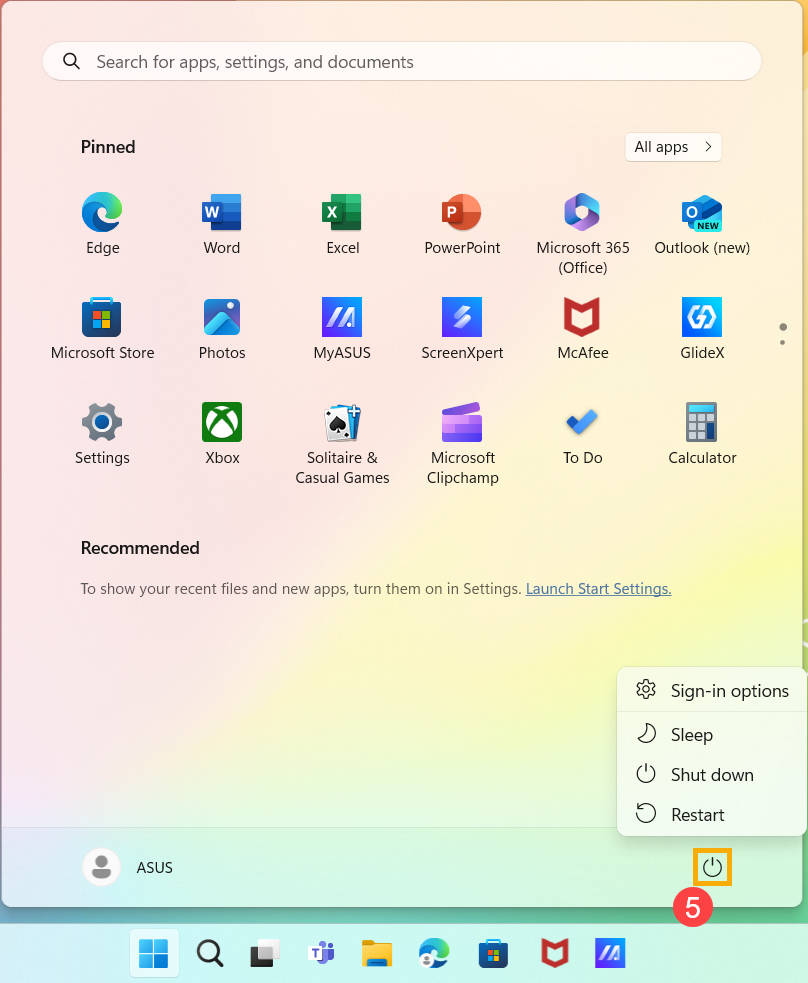
Save your work, open Start, select Power, and choose Restart. Once Windows loads, try checking for updates again:

  • Windows 11: Open Settings → Windows Update → Check for updates.
  • Windows 10: Open Settings → Update & Security → Windows Update → Check for updates.

Use Restart for this test so Windows closes the current session and starts again.

If the update still fails, confirm that the message shows 0x80070422. Similar-looking codes can point to different problems. Also note whether the error appears while checking, downloading, or installing.

If this is a work or school computer, check with your administrator before changing service settings. Update controls may be managed centrally.

2. Enable the service to fix Windows Update error 0x80070422
windows-update-properties-pcbuglab

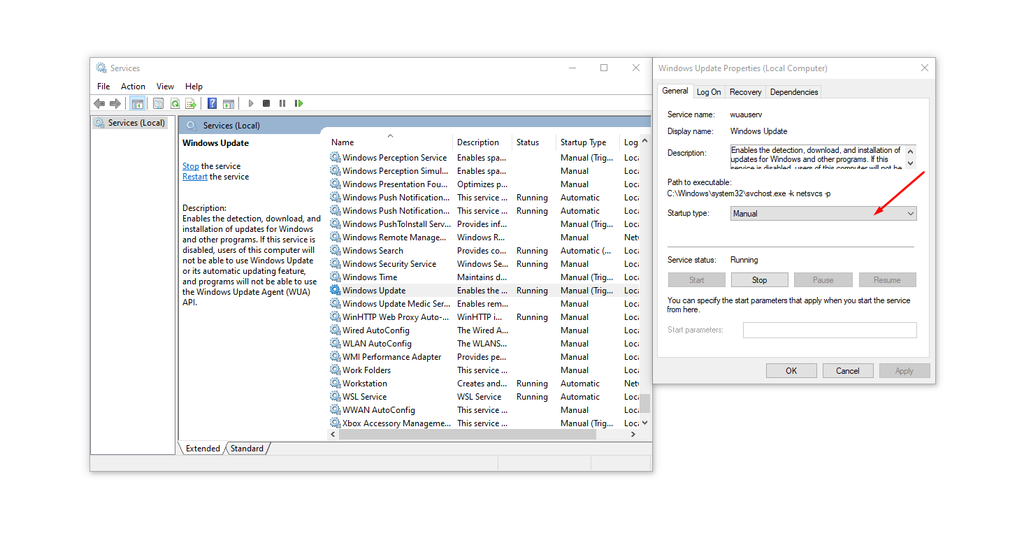
The error code corresponds to ERROR_SERVICE_DISABLED. Check whether the Windows Update service has been disabled before trying more extensive repairs. Windows Update error reference

  1. Press Windows + R.
  2. Type services.msc and press Enter.
  3. Find Windows Update in the list.
  4. Double-click it to open Properties.
  5. Check Startup type and Service status.

If Startup type is set to Disabled on your personal PC, select Automatic, then click Apply. If the service is stopped, click Start, followed by OK.

Restart your computer and check for updates again. These are the service-enabling steps recommended in the Windows Update troubleshooting instructions.

A service showing Stopped while the computer is idle does not, by itself, prove something is broken. Some services start only when Windows needs them. Pay particular attention to a Disabled startup setting or an error when you press Start.

If Windows cannot start the service, write down the complete message. An access-denied message and a dependency error require different follow-up checks.

3. Run the troubleshooter for Windows Update error 0x80070422
Windows Update troubleshooter Run button in Settings-pcbuglab

The built-in troubleshooter can check the update system and attempt repairs automatically.

On Windows 11, open Start, search for Get Help, and open the app. Search for Windows Update troubleshooter, then follow the diagnostic prompts.

You may also find it through:

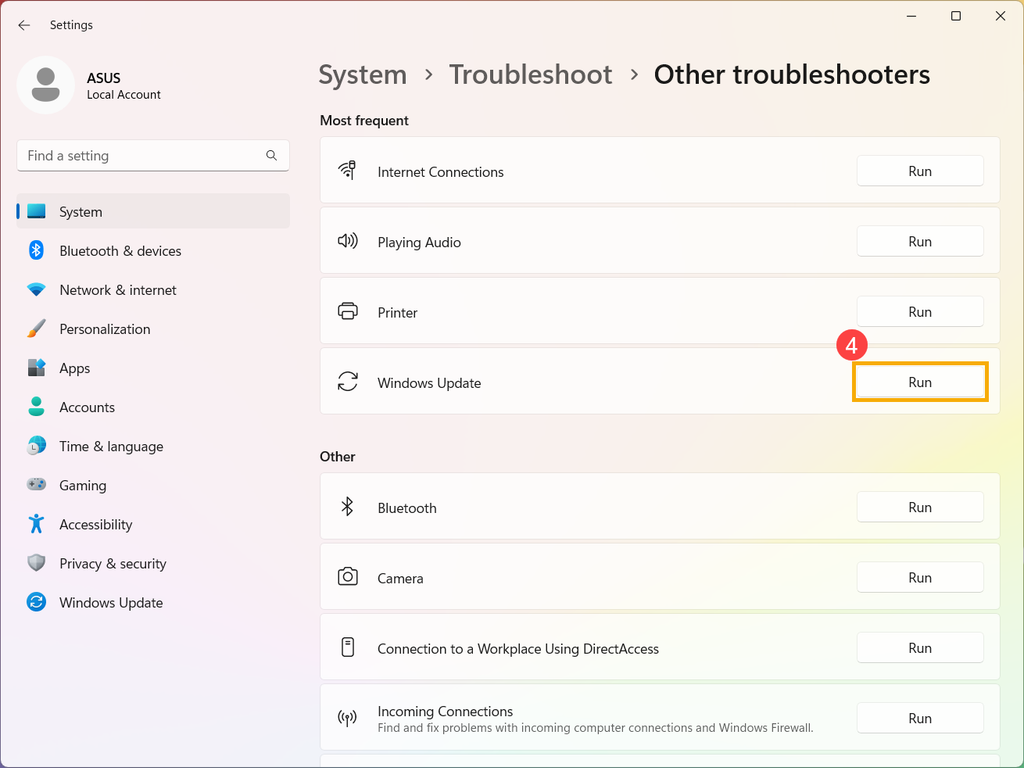
  1. Open Settings → System → Troubleshoot.
  2. Select Other troubleshooters.
  3. Find Windows Update and select Run.

Depending on your Windows version, this may open Get Help.

On Windows 10, check Settings → Update & Security → Troubleshoot → Additional troubleshooters → Windows Update.

Restart after the diagnostic finishes, then try updating again. If your menus differ, use the Windows Update troubleshooter instructions to find the available route.

4. Check whether an update-blocking tool disabled the service
windows-update-blocker-pcbuglab

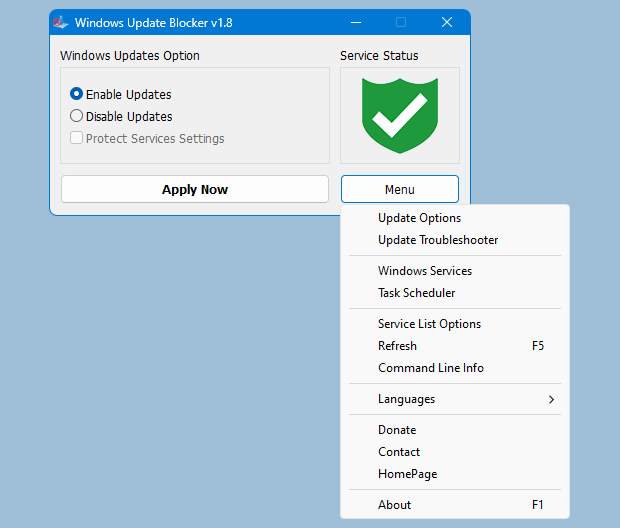
Think about what changed before the error appeared. Did you use a privacy utility, performance tool, debloating script, or application with an option to disable Windows updates?

If you deliberately used such an option, open that same tool and look for its restore defaults, enable updates, or undo changes feature. Use the tool’s documentation to reverse the specific change.

Afterward:

  1. Restart Windows.
  2. Open services.msc again.
  3. Check whether Windows Update is still disabled.
  4. Retry the update.

If the startup setting returns to Disabled after every restart, record that behavior. A tool, script, or management setting may be applying the change again.

Avoid running another “optimization” script to undo an unknown set of changes. Making several unrelated adjustments at once makes it harder to identify what actually resolves the problem.

5. Follow the result instead of repeating the same repair
Windows Update showing an update pending restart-pcbuglab

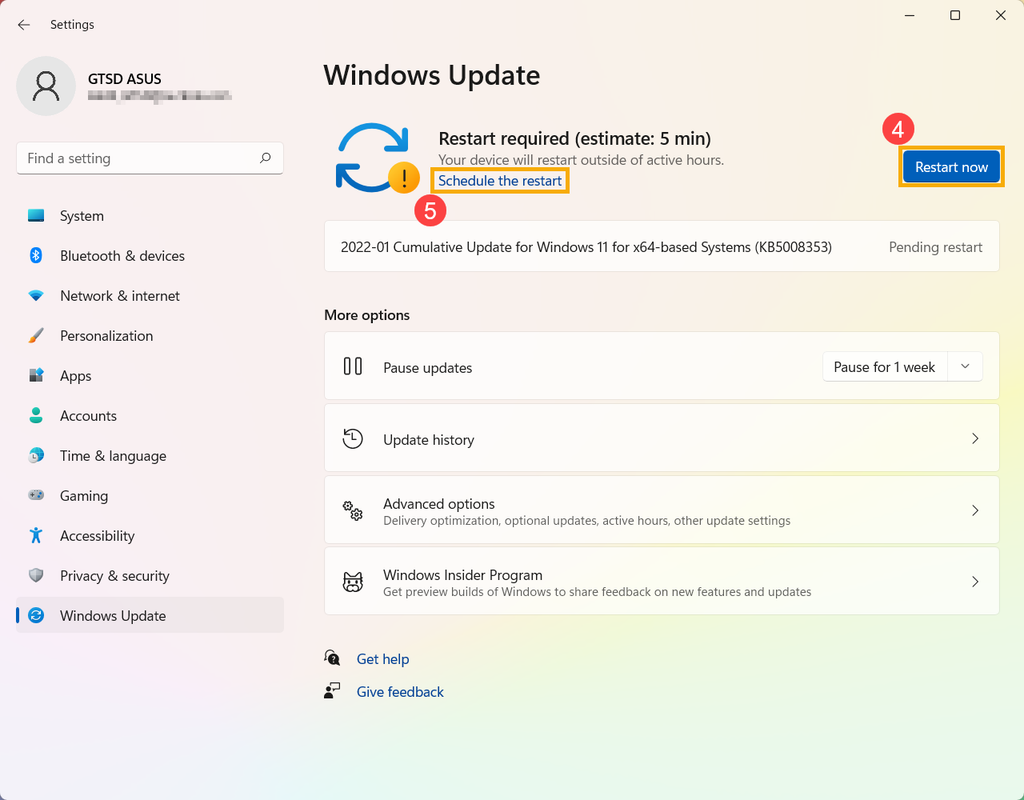
Once the service can start, check what happens next.

ResultNext step
Windows checks for updates successfullyInstall the available updates and restart when prompted.
The service becomes disabled againReview the tool or policy controlling its startup setting.
Clicking Start produces an errorRecord the complete service error for further troubleshooting.
A different update code appearsTroubleshoot the new code and the stage where it occurs.

For example, if the service starts but the update later fails with 0x800705b4, follow our guide to fixing Windows Update error 0x800705b4. A timeout after the service starts is a different situation from a service that cannot run.

If Windows Update error 0x80070422 continues, collect the Windows version, the service’s startup setting, and any message shown when starting it. Those details provide a useful starting point for support without changing unrelated settings or reinstalling Windows prematurely.
TAGGED:0x80070422Error 0x80070422Windows troubleshooting

Sign Up For Daily Newsletter

Be keep up! Get the latest breaking news delivered straight to your inbox.
By signing up, you agree to our Terms of Use and acknowledge the data practices in our Privacy Policy. You may unsubscribe at any time.
Share This Article
Facebook Copy Link Print
Previous Article Windows Update error 0x80240034 download failure illustration-pcbuglab How to fix Windows error 0x80240034
Next Article windows-error-0x80080005-pcbuglab How to fix Windows Update error 0x80080005
Leave a review

Leave a Review Cancel reply

Your email address will not be published. Required fields are marked *

Please select a rating!

FacebookLike
InstagramFollow

Subscribe Now

Subscribe to our newsletter to get our newest articles instantly!
Most Popular
gta6-cyberleek-pcbuglab
Cyberleek claims GTA 6 Xbox leak playable for PC
November 23, 2026
windows-error-0x80080005-pcbuglab
How to fix Windows Update error 0x80080005
November 18, 2026
Windows Update error 0x80240034 download failure illustration-pcbuglab
How to fix Windows error 0x80240034
November 11, 2026
Windows error 0x8024402c - pcbuglab
How to fix Windows error 0x8024402c
November 11, 2026
windows-update-error-0x800705b4-featured-pcbuglab
How to fix Windows Update error 0x800705b4
November 11, 2026

You Might Also Like

windows-11-stuck-loading-screen-featured-pcbuglab
How-to guides

How to fix Windows 11 stuck on the loading screen?

10 Min Read
fix-error-0xc0000098-pcbuglab
How-to guides

How to fix boot configuration data error 0xc0000098

10 Min Read
irql-error-fix-pcbuglab
How-to guides

How to fix IRQL not less or equal on Windows

10 Min Read
repair-system-files-windows-pcbuglab
How-to guides

How to repair Windows system files

9 Min Read

Always Stay Up to Date

Subscribe to our newsletter to get our newest articles instantly!
PCBugLab PCBugLab

Clear solutions for everyday PC problems. Explore troubleshooting guides, hardware advice, and practical insights to get more from your technology.

Explore

  • Home
  • Cybersecurity
  • Tech news
  • How-to guides
  • Hardware

Have a Question or Suggestion?

Tell us which PC problems or tech topics you’d like us to cover. Your feedback helps shape our next guides.
Contact Us
Welcome Back!

Sign in to your account

Username or Email Address
Password

Lost your password?