

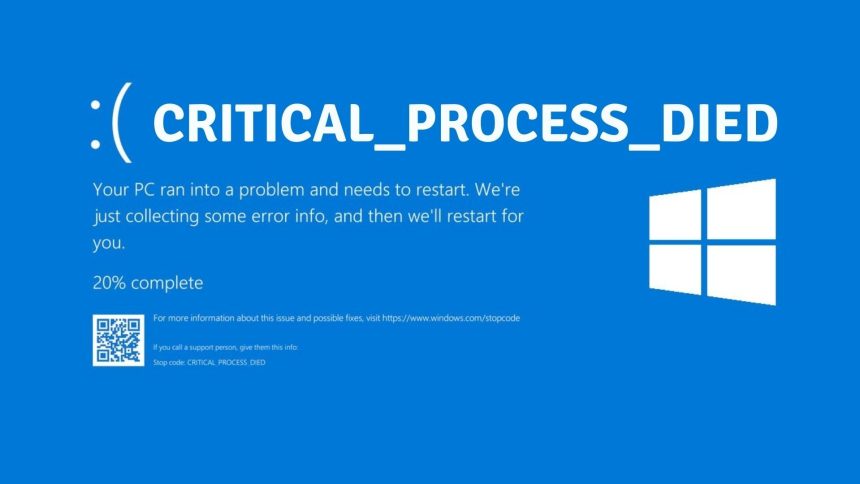
Critical Process Died in Windows 11 means an essential Windows process has stopped unexpectedly. Its technical stop code is CRITICAL_PROCESS_DIED, also identified as 0x000000EF. Windows stops because it can no longer safely continue operating.
- 1. Start in Safe Mode if Windows keeps crashing
- 2. Check what changed before Critical Process Died appeared
- 3. Repair Windows system files with DISM and SFC
- 4. Review drivers and Windows updates
- 5. Use recovery tools for a Critical Process Died restart loop
- 6. Check hardware if the crashes continue
- Confirm Windows is stable again
The message identifies what failed, but it does not explain the underlying cause. Start by checking recent changes, then use Windows repair tools and hardware diagnostics where appropriate.
If your computer still starts, back up important files first. If it repeatedly crashes before sign-in, begin with the recovery steps below.

1. Start in Safe Mode if Windows keeps crashing
Safe Mode starts Windows with a limited set of files, services, and drivers. It can help you investigate a computer that crashes during normal startup.
If you can reach the desktop or sign-in screen, hold Shift while selecting Power > Restart. Then choose:
Troubleshoot > Advanced options > Startup Settings > Restart
Press 4 or F4 to enable Safe Mode. An encrypted device may request its BitLocker recovery key.
If the computer cannot reach sign-in, Windows may automatically open recovery after repeated startup failures. You can also access recovery using official Windows installation media and its repair option.
A stable Safe Mode session helps narrow the investigation. It does not, by itself, prove that every hardware component is healthy.
2. Check what changed before Critical Process Died appeared
Think back to the first crash. Did it follow a new driver, security application, system utility, or hardware installation?
Microsoft recommends investigating recently added drivers, services, and hardware when troubleshooting this stop code. Remove or update the suspected component rather than changing several unrelated settings at once.
For newly connected external hardware, shut down the PC and disconnect the device before testing again. If the crash follows a specific application installation, uninstall that application and observe the result.
3. Repair Windows system files with DISM and SFC
Screenshot: Windows Central.
If Windows starts normally and remains usable, open Command Prompt as administrator and run:
DISM.exe /Online /Cleanup-Image /RestoreHealth
After it finishes successfully, run:
sfc /scannow
Microsoft recommends DISM before System File Checker. Let verification finish, record the results, then restart the computer.
These commands target the running Windows installation. Do not paste the same online commands into Windows Recovery Environment expecting them to repair your installed Windows copy. Offline repairs require identifying the correct Windows drive and using appropriate offline parameters.
If Windows cannot stay running long enough to complete repairs, continue with recovery options instead.
4. Review drivers and Windows updates
When normal Windows is stable enough:
- Open Settings > Windows Update.
- Check for available updates.
- Open Device Manager and look for warning symbols.
- Investigate the affected device and obtain suitable drivers from its manufacturer.
Microsoft includes driver checks and Windows updates in its stop-error troubleshooting guidance.
Avoid installing multiple driver packages at once. Make one relevant change, restart, and test whether the same crash returns.
5. Use recovery tools for a Critical Process Died restart loop
From Troubleshoot > Advanced options, choose the tool that matches the situation:
| Situation | Recovery option |
| Windows cannot complete startup | Startup Repair |
| The problem began immediately after an update | Uninstall Updates, where available |
| A suitable restore point exists from before the crashes | System Restore |
Windows Recovery Environment provides these tools for startup and system troubleshooting. System Restore rolls back system settings and files without reverting personal files, although affected applications and drivers can change.
Read each confirmation carefully before proceeding.
6. Check hardware if the crashes continue
Run the diagnostics supplied by your PC manufacturer, including available memory and storage tests. Microsoft specifically recommends manufacturer diagnostics when investigating CRITICAL_PROCESS_DIED.
Keep any failure codes. A reported hardware fault needs investigation before another Windows reinstall.
If diagnostics pass, note when crashes occur and check Event Viewer > Windows Logs > System for errors near those times. Crash dump analysis may be needed to identify the failing process or driver.
Confirm Windows is stable again
Test the activity that previously triggered the crash and monitor the computer through several normal sessions. A single successful restart is encouraging, but recurring crashes mean the cause still needs investigation.
Keep a record of the stop code, recent changes, repair results, and diagnostic findings. Those details make further troubleshooting more precise.