
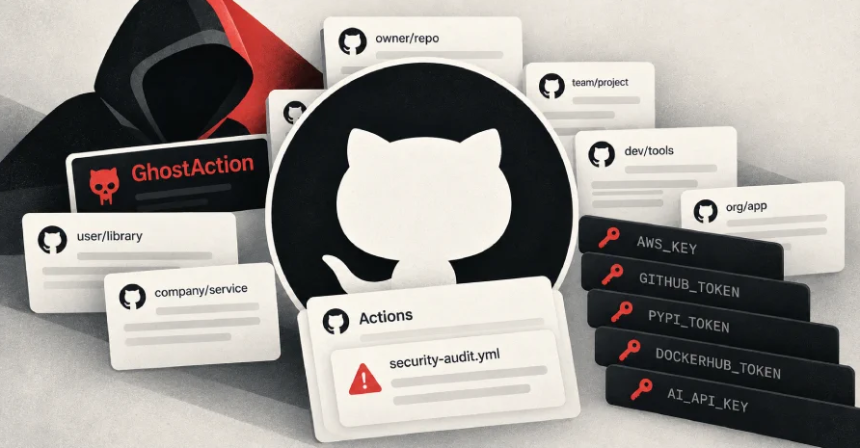
The GhostAction attack has expanded beyond malicious GitHub Actions workflows. Researchers have identified a second-stage payload disguised as a font file, creating a route from compromised repositories to developers’ computers.
- How the GhostAction attack hides behind a font file
- Opening a repository does not automatically confirm infection
- GhostAction also targets developer sign-ins
- Why deleting the malicious workflow is insufficient
- How developers can investigate suspicious repositories
- Similar techniques do not establish the attacker’s identity
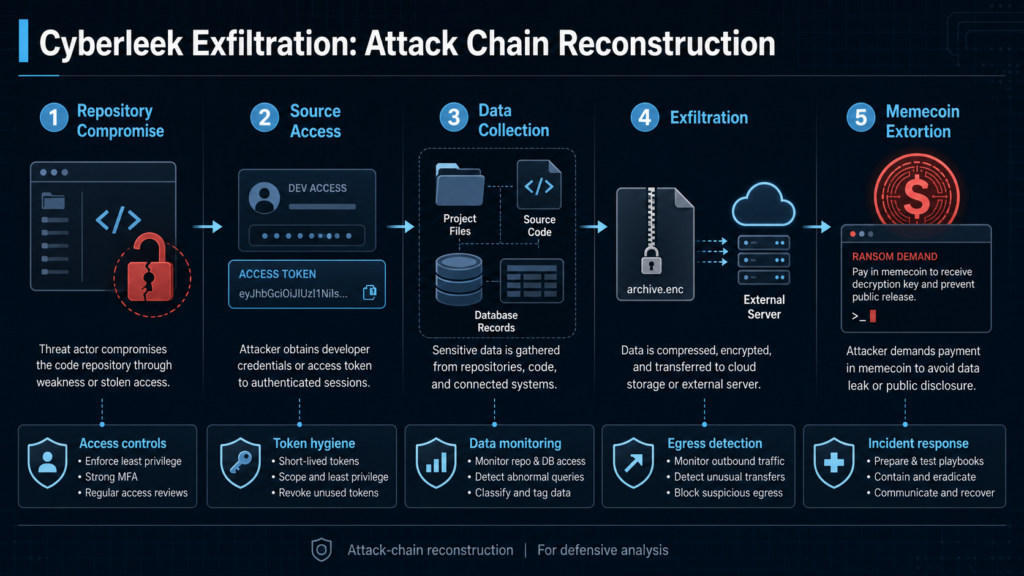
OpenSourceMalware reported a cluster of 94 repositories belonging to 66 owners. Researchers confirmed the second-stage files in the 79 repositories still available for inspection; the remaining 15 had become unavailable. Those findings identify affected repositories, not a confirmed count of infected developer machines.
The development makes recovery more complicated. Removing a malicious workflow from GitHub may leave stolen credentials or a compromised workstation unresolved.
How the GhostAction attack hides behind a font file
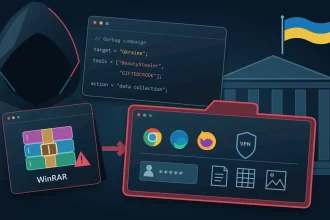
The second-stage payload uses two files that might escape a quick review:
- .vscode/tasks.json
- public/fonts/fa-solid-400.woff2
The first defines a VS Code task labelled eslint-check. The second looks like a font resource but contains JavaScript. The task invokes Node.js to execute that disguised script and uses a folder-opening trigger, with presentation settings intended to keep execution unobtrusive.
Researchers also found a persistence mechanism for systems supporting cron. It schedules repeated retrieval and execution of attacker-controlled code, meaning repository cleanup alone would not remove that foothold.
This is not evidence that ordinary font rendering compromises the computer. The malicious task explicitly treats the supposed font as executable code.
Opening a repository does not automatically confirm infection
VS Code includes Workspace Trust, which limits potentially dangerous project features in Restricted Mode. Tasks can execute scripts, so trusting a workspace is a security decision rather than a routine setup step.
Microsoft’s documentation explains that running tasks from an untrusted workspace prompts the user to confirm trust. Declining keeps the workspace restricted.
For this campaign, investigators must establish whether the task actually ran. The presence of malicious files, a repository clone, and confirmed code execution are different findings.
GhostAction also targets developer sign-ins
The campaign’s expansion includes phishing aimed at open-source maintainers.
According to the investigation reported by The Hacker News, a message impersonating a GitHub security alert directed a developer to a lookalike domain. The phishing page used a reverse-proxy approach to capture credentials and a two-factor authentication code.
Researchers also described scripts that attempted to authorize an OAuth application through the proxied session. Requested permissions included repository access and the ability to modify workflows.
That creates an important distinction for responders: changing a password may not address every token or application authorization established during the intrusion.
Why deleting the malicious workflow is insufficient
GhostAction’s earlier workflow-based activity targeted CI/CD secrets, publishing credentials, cloud access, and credentials recoverable from repository history.
OpenSourceMalware warns that removing an injected workflow does not revoke stolen credentials, invalidate the access used to change the repository, or establish that previously generated releases and deployments are trustworthy.
A clean-looking default branch is therefore only one part of the investigation. Teams also need to examine account access, workflow execution, local workstations, and potentially affected build outputs.
How developers can investigate suspicious repositories
Inspect unfamiliar projects in Restricted Mode before enabling tasks. Review .vscode configuration alongside application source code, and investigate unexpected changes under .github/workflows.
A task name such as “lint” or “security audit” is not proof of safety. OpenSourceMalware notes that common workflow filenames can be legitimate; detection requires reviewing their contents and behavior.
For a suspected compromise:
- Use a clean device to review GitHub access and revoke suspicious tokens or applications.
- Rotate credentials the malicious code could have accessed.
- Audit every repository reachable by the affected account.
- Investigate local persistence if the payload executed.
- Notify collaborators who may have opened affected projects.
These response priorities address both repository access and the wider credential exposure described in the reporting.
Similar techniques do not establish the attacker’s identity
The fake-font launcher resembles a technique associated with the PolinRider campaign. However, OpenSourceMalware describes the GhostAction implementation as a copycat, with no shared indicators establishing common operators.
The researchers have not attributed GhostAction to the same actors. Similar delivery methods should guide investigation without becoming a substitute for attribution evidence.